Concis Labs

PA Criteria

Stop building PA comparison tables in Excel.

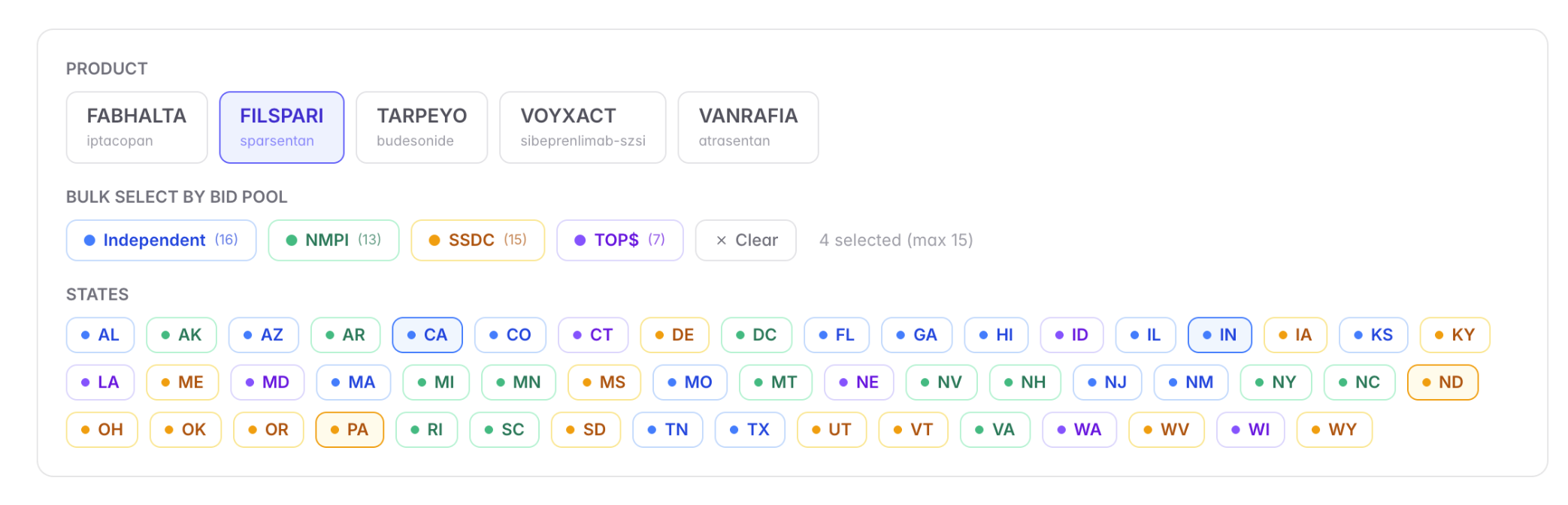
Prior authorization criteria vary widely from state to state — and from bid pool to bid pool inside a single state. Concis maintains a normalized, structured database of PA criteria across all 50 states, ready to filter by drug, state, or bid pool. Diagnosis requirements, step-therapy rules, lab thresholds, concomitant therapy, and PA form type — all comparable side-by-side, with every source linked and every change timestamped.
Request a demo

Concis Labs PA Criteria comparison table by drug and state

What you get

Built for the way your team actually works.

  • Side-by-side PA criteria comparison by drug and state
  • Filter by bid pool — Independent, NMPI, SSDC, TOPS
  • Coverage status, step therapy, and PA form type
  • Diagnosis, lab, and concomitant therapy requirements
  • Sourced directly from state Medicaid PDLs
  • Every entry carries a last-verified date

How it works

The detail underneath the dashboard.

Normalized criteria, not raw PDL pages

State PDLs publish PA criteria in formats that range from clean PDFs to scanned faxes. Concis normalizes each criterion into structured fields — diagnosis codes, step-therapy requirements, lab thresholds, concomitant therapies — so the comparison is apples-to-apples no matter how messy the source.

Filter by bid pool, not just state

Inside a single state, criteria can differ by bid pool. Concis tags every record with its applicable pool — Independent, NMPI, SSDC, TOPS, and state-specific arrangements — so you can target the exact population your contracting strategy depends on.

Sourced from the PDL, kept fresh

Every entry is sourced directly from the state Medicaid Preferred Drug List, with the source document linked. PA criteria are updated on a rolling basis as states publish changes, and every record carries a last-verified date so your team knows exactly how current the information is.

Built for market-access workflows

Side-by-side comparisons can be exported, embedded in stakeholder briefings, or pushed into your CRM. Filter combinations save and share, so the comparison your director ran last quarter is one click away — and reflects the current PDL.

See it on your team's drugs and states.

Request a demo and we'll walk through it live.

Request a demo